
Screen casting has evolved rapidly over the last few years. Previously, users relied on basic cables or simple Wi-Fi tools to connect devices. However, using AI-powered mirroring apps changes the entire experience. These smart tools eliminate lag, improve video quality, and make connections seamless. Therefore, if you want to cast your iPhone to a smart TV, you need the right AI software.
In this comprehensive guide, we will explore everything about using AI-powered mirroring apps. We will cover their benefits, setup processes, and top features. Moreover, we will highlight the best apps available today to help you upgrade your home entertainment system.
What Are AI-Powered Mirroring Apps?
AI-powered mirroring apps use artificial intelligence to optimize how data travels between your phone and your TV. Traditional apps just copy your screen pixels and send them over a network. Consequently, you often experience buffering, pixelation, or audio delays.
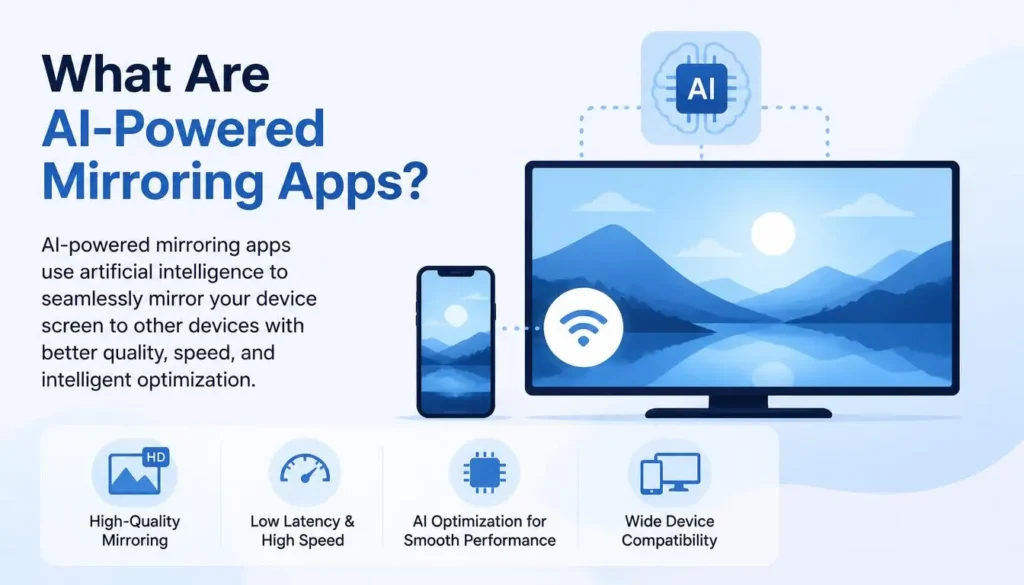
Using AI-powered mirroring apps solves these exact problems. The software constantly analyzes your network strength in real-time. Then, it adjusts the streaming bitrate automatically to prevent buffering. Furthermore, these smart apps can detect the type of content you are sharing. Whether you are playing a fast-paced game or showing a static presentation, the AI adapts accordingly.
How AI Smart Optimization Enhances Video Quality
One of the biggest advantages of AI casting is smart video optimization. Standard screen sharing often results in blurry visuals on large 4K TVs. In contrast, AI upscaling algorithms analyze low-resolution videos and enhance them on the fly.
As a result, your older family videos look significantly sharper on a modern display. The AI fills in missing pixels to match your TV’s native resolution. Additionally, color correction happens instantly. Thus, colors look vibrant and accurate without requiring manual adjustments in your TV settings.
The Role of AI Voice Control in Screen Mirroring
Modern AI apps also integrate voice control capabilities directly into the casting experience. Instead of tapping through multiple menus, you simply speak commands. For example, you can say, “Pause the video,” or “Increase TV volume.”
This hands-free approach transforms your iPhone into a highly intelligent remote control. Furthermore, voice recognition learns your habits over time. Because it understands natural language, navigating through your media library becomes incredibly fast and intuitive.
Top Benefits of Using AI-Powered Mirroring Apps
Switching to an AI-driven platform offers massive advantages for everyday users and professionals alike. Let us break down the primary benefits you will experience.
Zero-Latency Casting for Gaming and Streaming
Gamers absolutely hate input lag. If you press a button on your phone, you want instant action on the TV screen. Fortunately, using AI-powered mirroring apps significantly reduces this delay. The artificial intelligence prioritizes video frames over background data.
Therefore, you experience near zero-latency streaming. This makes playing mobile games on a massive screen truly enjoyable. Moreover, live sports and fast-action movies stream smoothly without annoying stuttering.
Automatic Device Detection and Quick Connect
Connecting devices used to be a frustrating process. You had to search for IP addresses, connect to specific Wi-Fi bands, or enter pairing codes. However, AI apps eliminate this hassle entirely.
The software automatically scans your local network and identifies compatible receivers. First, you open the app. Next, the AI instantly detects your Samsung, LG, Roku, or Fire TV. Finally, you tap one button to establish a secure connection. This plug-and-play simplicity saves you valuable time.
How to Set Up and Use AI Mirroring Software
Setting up these applications is incredibly straightforward. You do not need technical expertise to get started. Follow these simple instructions to begin using AI-powered mirroring apps immediately.
Step-by-Step Guide for iOS and Android
First, download a reliable AI mirroring app from the Apple App Store or Google Play Store. Second, ensure that both your smartphone and your smart TV connect to the identical Wi-Fi network. This step is absolutely crucial for a successful connection.
- Open the downloaded AI mirroring application on your device.
- Grant the necessary network permissions when the app prompts you.
- Tap the “Connect to TV” or “Scan” button on the main dashboard.
- Select your specific TV model from the generated list.
- Approve the connection on your TV screen if a prompt appears.
Once connected, you can start streaming YouTube, sharing photos, or playing games immediately.
Troubleshooting Common Connection Issues
Sometimes, technology fails to cooperate perfectly. If your app cannot locate your TV, do not panic. First, check your network settings. You must disable any active Virtual Private Networks (VPNs) on your phone. VPNs hide your local IP address, which prevents the AI from finding your television.
Additionally, restarting your router often solves hidden network conflicts. If you experience audio drops, ensure your TV is not muted and check the app’s internal audio permissions. Ultimately, keeping your app updated guarantees you have the latest bug fixes.
AI Mirroring vs. Traditional Casting: Which Is Better?
Many users wonder if upgrading to an AI app is actually worth it. Traditional tools like standard Apple AirPlay or basic Miracast work reasonably well for simple tasks. However, they lack dynamic adaptability.
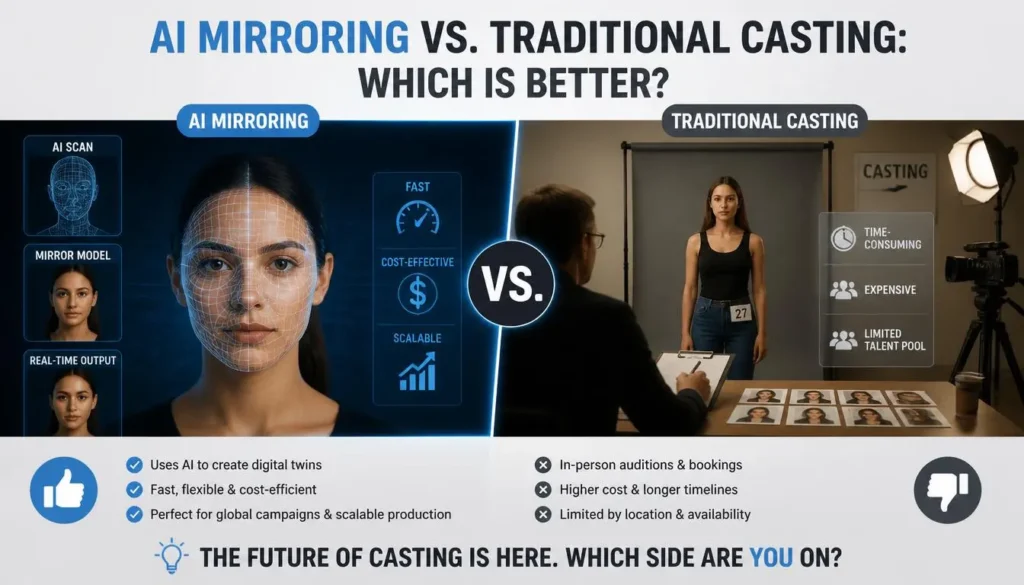
Traditional casting rigidly pushes data regardless of network health. Consequently, if your Wi-Fi signal drops slightly, the video freezes. On the other hand, AI mirroring dynamically lowers the resolution for a few seconds to keep the video playing smoothly. Therefore, the viewing experience remains uninterrupted.
Upscaling Resolutions for Older Devices
If you own an older iPhone, standard casting often looks terrible on a modern 65-inch television. The native resolution of the older phone simply cannot fill the large screen beautifully.
Using AI-powered mirroring apps solves this hardware limitation. The software utilizes cloud-based or on-device machine learning to upscale the image. As a result, even 720p content looks surprisingly crisp and clean on a 4K display.
Privacy and Security in AI Screen Sharing
Security is a massive concern when broadcasting personal data. Fortunately, top-tier AI mirroring apps prioritize user privacy. They utilize end-to-end encryption to protect your data stream.
Because the connection happens over your local network, external hackers cannot intercept your screen. Moreover, reputable apps clearly state their privacy policies. They do not record your screen sessions or upload your personal photos to external servers without explicit permission.
Best AI-Powered Mirroring Apps Available Right Now
Choosing the right application makes all the difference. Currently, the market offers several outstanding options that utilize smart technology.
AI Cast TV & Screen Mirroring
This app currently dominates the iOS charts for smart casting. AI Cast TV offers voice control, smart optimization, and instantaneous device detection. Furthermore, it supports massive brands like Samsung, LG, Roku, and Sony Bravia natively. Users praise its zero-lag performance and intuitive interface.
ApowerMirror and Smart Optimization Tools
ApowerMirror remains a powerhouse for both mobile and PC users. While known for computer mirroring, its mobile-to-TV features use smart compression techniques. Therefore, you can cast high-quality videos without draining your smartphone battery rapidly. Additionally, it supports screen sharing across different networks, adding incredible versatility.
Frequently Asked Questions (FAQs)
Conclusion
Upgrading your home entertainment setup does not require buying expensive new hardware. Instead, using AI-powered mirroring apps breathes new life into the devices you already own. These intelligent applications remove the frustration of lag, buffering, and complicated setups. Because they actively optimize your video and audio streams, you get a theater-like experience directly from your smartphone.
Whether you want to showcase a business presentation flawlessly, play mobile games on a massive screen, or simply share family memories, artificial intelligence makes it effortless. Therefore, download a highly-rated AI casting app today and experience the future of seamless screen sharing.